Your house is finally yours. Walk inside the house you own and type /decorate to open the home designer.
How it works
- Fly around inside your home with a free camera (W A S D, Space and Ctrl for up and down, hold the right mouse button to look)
- Pick from 153 pieces of real GTA furniture - sofas, beds, tables, lamps, kitchen, bathroom, TVs, plants, decor and more - each with a picture so you know what you're buying
- Click where it goes. The piece shows green when it fits and red when it doesn't, with the reason in plain words
- Move, raise, turn, copy or remove anything you placed. Removing a piece gives you half its price back
- Press T for a top-down view of the whole home
The whole house is yours to change
Everything that came with the house - sofas, beds, rugs, tables, posters, decor - can be taken out for free. Click it, or open Everything in this house to search the full list and take out or put back any piece.
Want a blank canvas? Start from an empty house clears it all in one click, and Put everything back brings it all back any time. Walls, floors, stairs, doors and windows always stay.
Designs that make sense
The designer won't let you build something broken: no blocking your front door, no two couches inside each other, no furniture through walls, floating in the air or outside your home. Small things like a lamp or a vase can go on tables, desks and dressers.
Good to know
- Up to 60 pieces per home
- Everyone inside your house sees your furniture
- Selling your house clears the furniture and pays you back half of what it cost
- New players: "Furnish your home" is now a step on the Civilian path (
/path) /househelphas everything in one place
Also new in v1.0.36
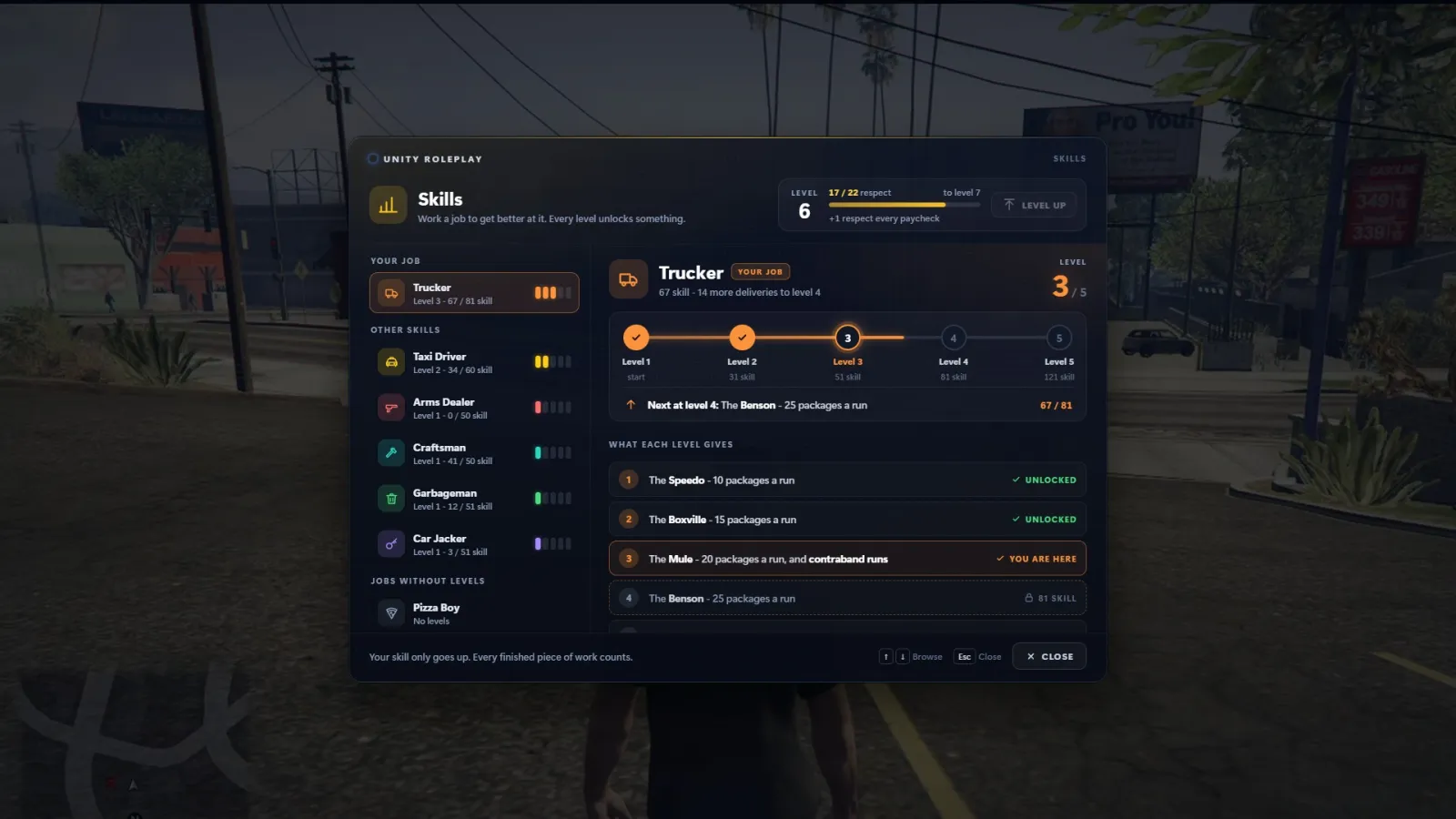
Skills screen - /skill (or /progress) opens a new screen with your level, your respect and every job's skill ladder: what each level unlocks, what's next, and how to earn more.
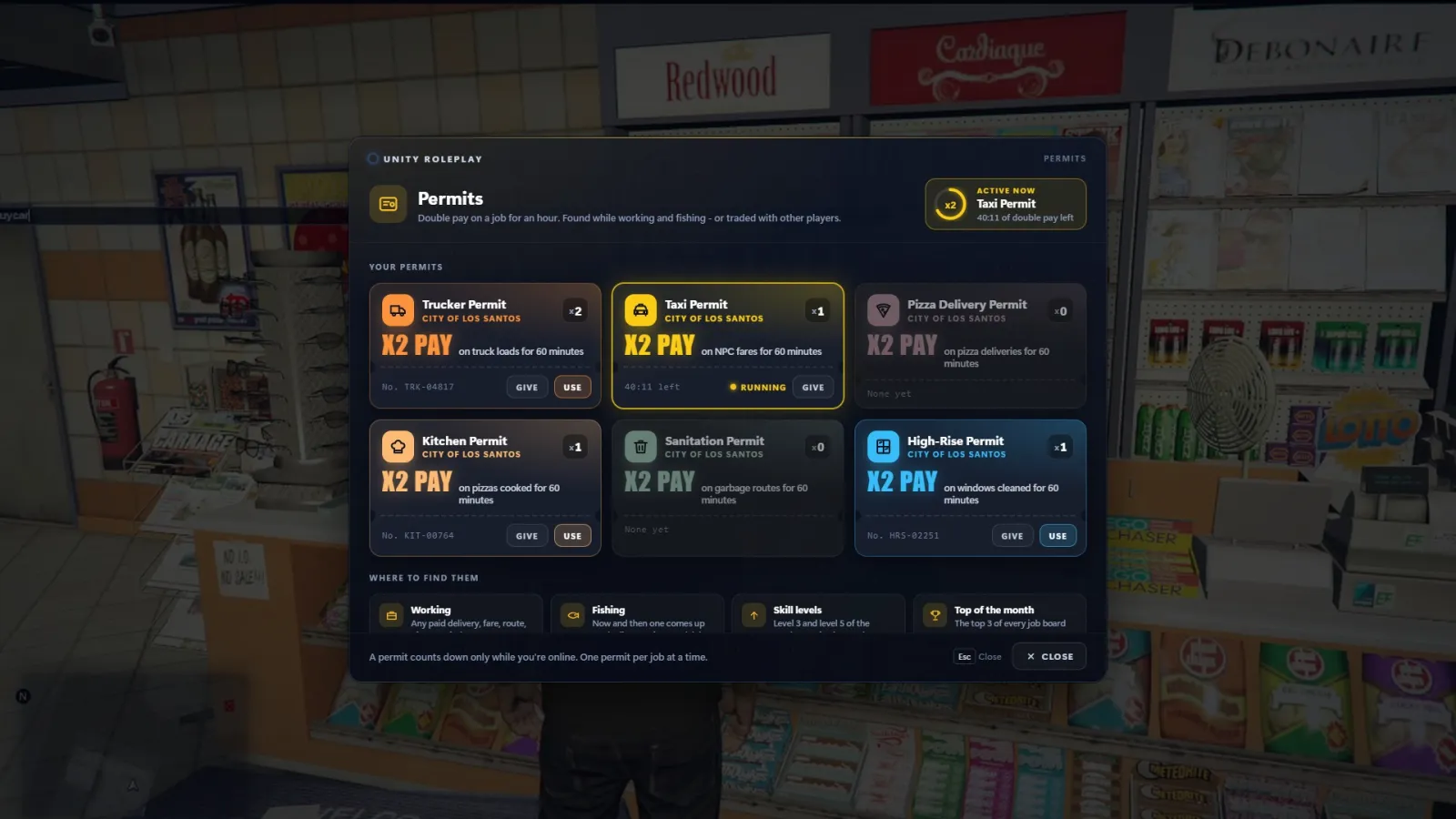
Job permits - /permits. A permit doubles your pay on one job for 60 minutes of play time. You find them while working, while fishing, at levels 3 and 5 of Trucker, Taxi Driver and Garbageman, and the month's top 3 of each job list get one. Permits can be given to other players.
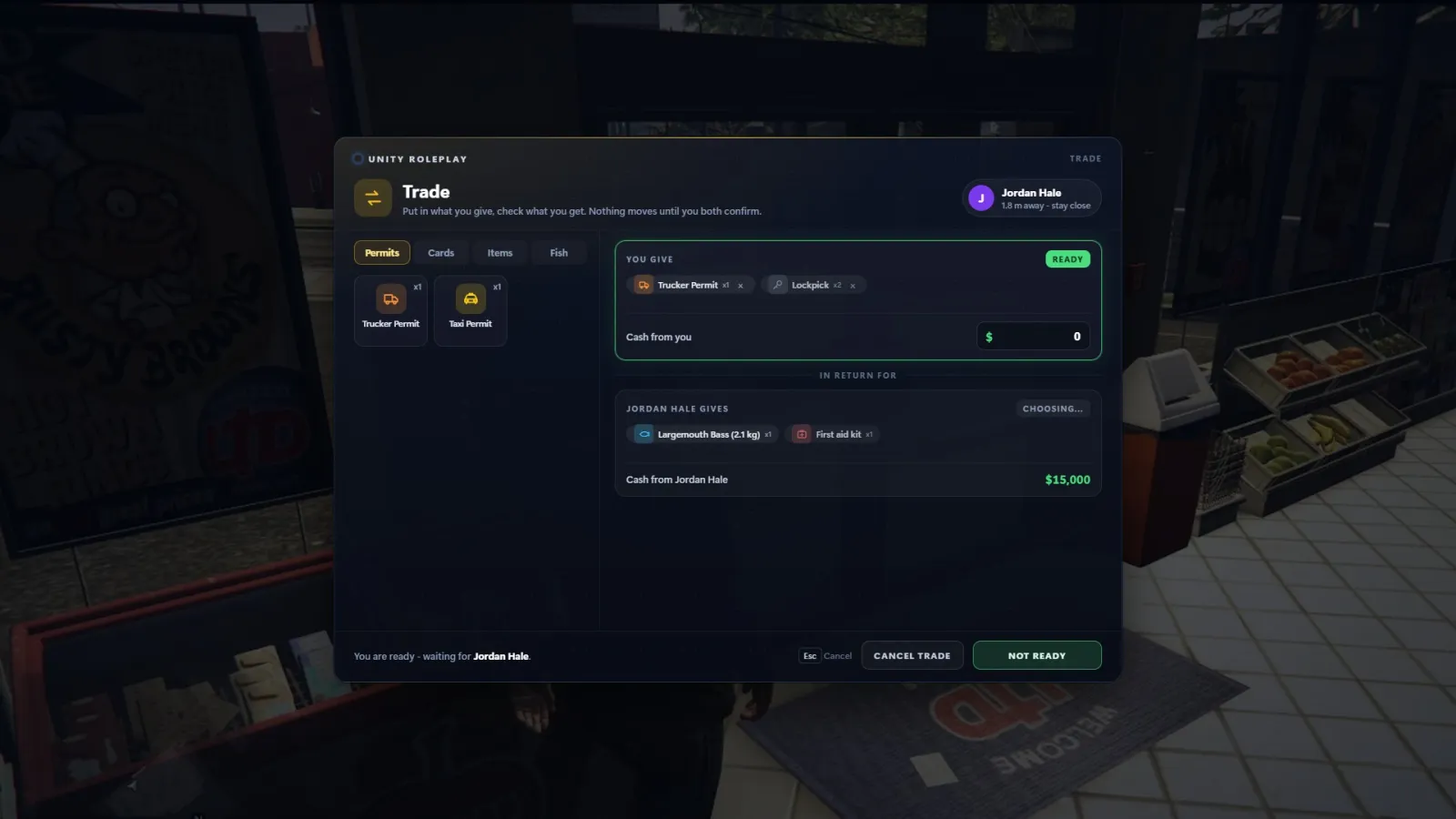
Trade with anyone - /trade [player] opens a trade window for permits, items (lockpicks, crowbars, first aid kits), fish, cards and cash (level 3+). When both sides press Ready, a short countdown runs and everything swaps at once. Cards still only trade for cards and sealed packs - never for money. /cardtrade still opens the cards-only window.
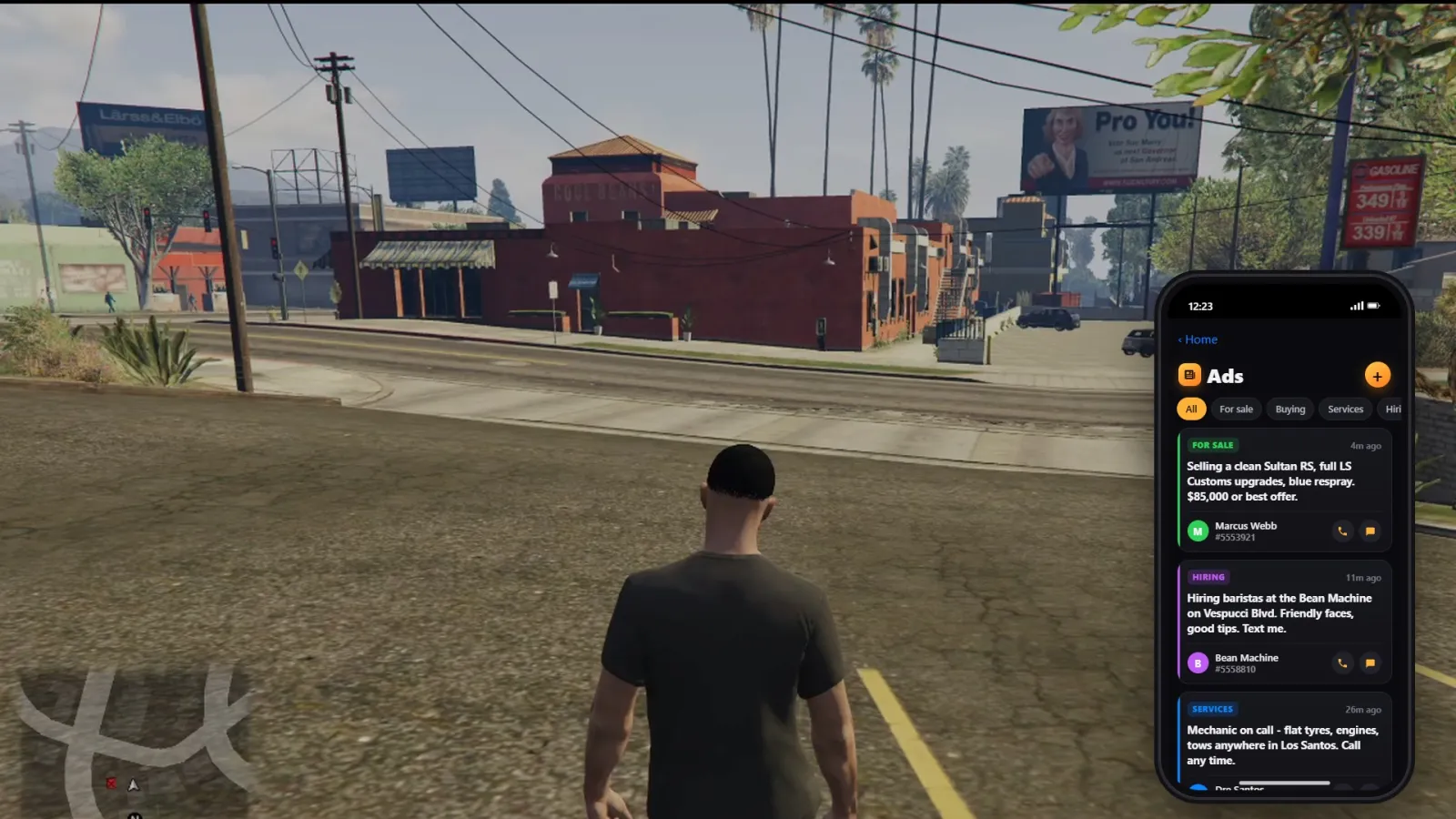
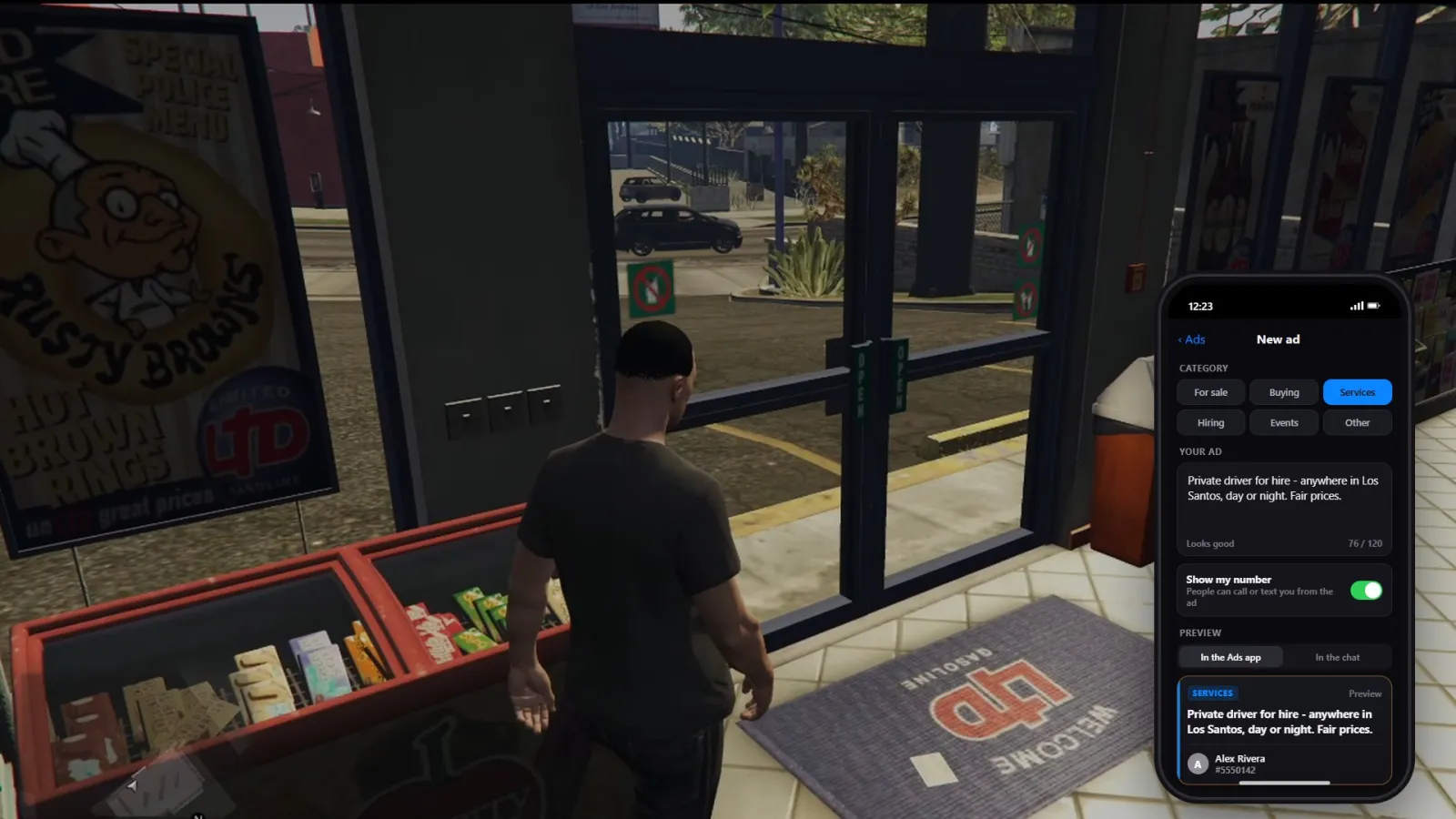
Ads app - the Lifeinvader offices are gone. Your phone (F1) now has an Ads app: browse ads by category (For sale, Buying, Services, Hiring, Events) and Call or Text the poster straight from the ad. Posting shows you a live preview first. /ad still works.
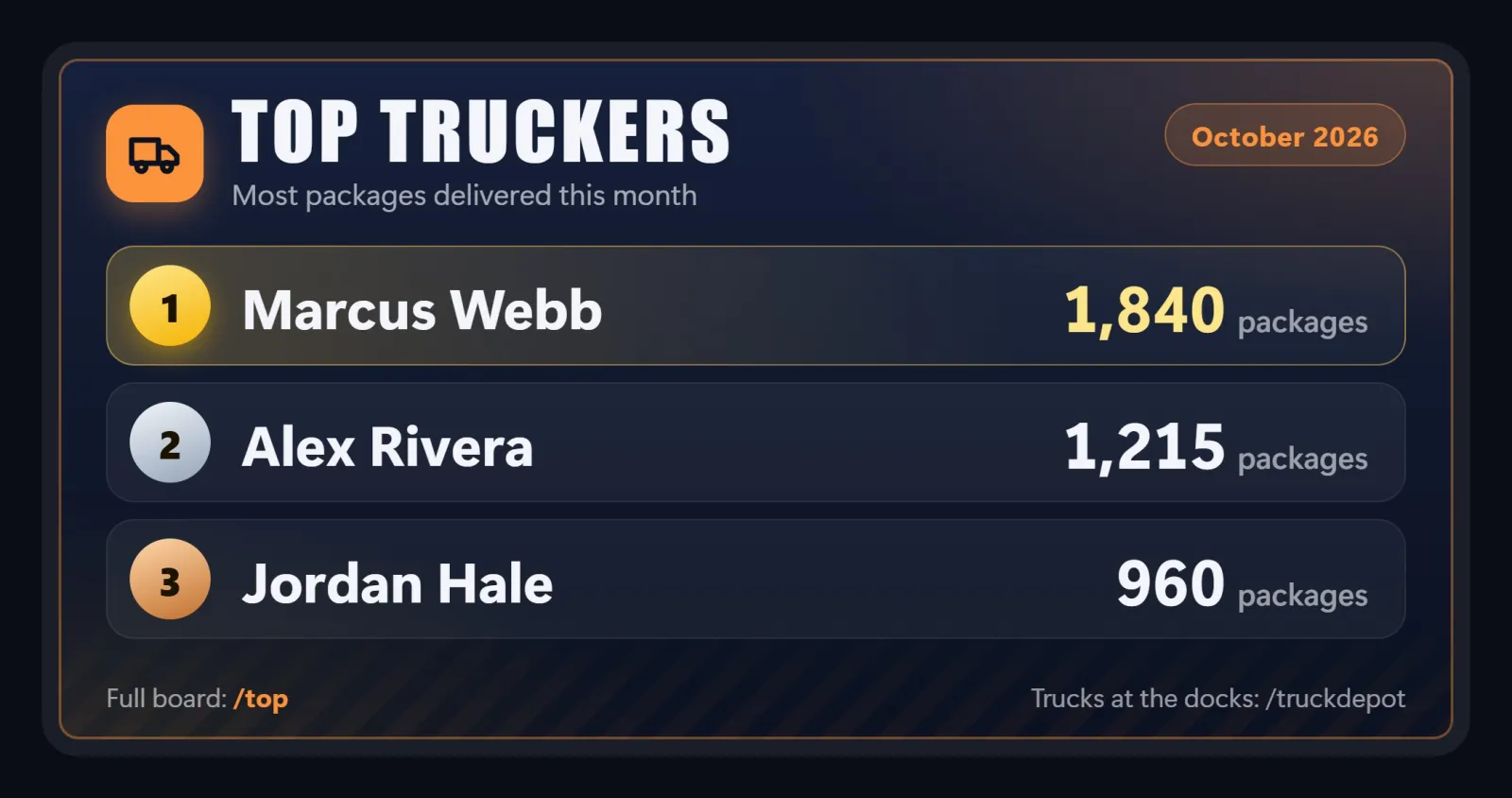
Job boards and new top lists - every job is getting a wall board with this month's top 3, like the fishing board. New lists: /top cook, /top craft, /top arms and /top guard (bragging rights only).
Faction outfits - faction leaders can save what they're wearing as a named faction outfit that lower ranks can wear from the locker. Government members can also save their own personal duty outfits.
Small things
- /smoke1 - light a cigarette you can walk around with.
/smoke1again takes a drag,/stopanimputs it out - B - point with your finger (everyone sees it)
- Truckers: left click at the goods pickup to pick a delivery route
Fixes
- Photos taken with the phone no longer come out grey
- Apartments now open at the front door instead of the bedroom